LangOver 5.0 is a freeware that helps when you tried to type in one language
but the result was in another... Annoying, eh?!
That's because the keyboard layout was in a wrong language,
and you forgot to use "ALT+SHIFT"... NO MORE!
With LangOver 5.0 you'll be able to convert your text quickly
between languages. Just Click
"F10" and your text will be fixed!
LangOver 5 is free and Supports ANY language!
[+] More info...
Change language (F10)
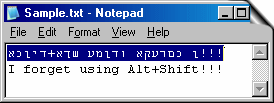
In case You have a Multilingual working environment and you type some text in Notepad (For example), and forget using Alt+Shift, You will notice some gibberish letters getting printed as shown in the picture.
To fix your text back to English select the entire sentence and hit the shortcut key "F10". The whole sentence is converted back to English (vice versa).
|
|
|
Change Case (Shift+F10)
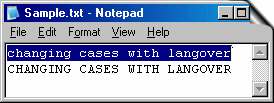
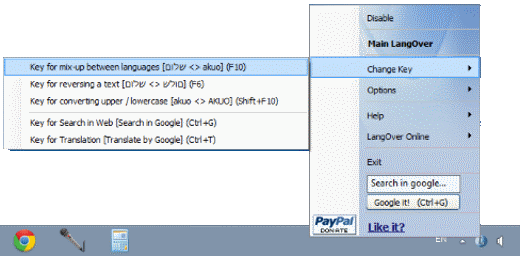
LangOver can be used to convert lowercase characters to Uppercase and Vice Versa. Select the text that you wish to convert and click "Shift + F10". If your text contains mixed cases then LangOver judges the case of the first character and converts the whole sentence according to it.
|
|
|
Reverse a text (F6)
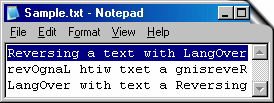
If you want to reverse a sentence use the shortcut key "F6″ and LangOver will reverse the text instantly.
There is an option to reverse the whole sentence, another option is reversing only the words.
|
|
|
Search (Control+G)
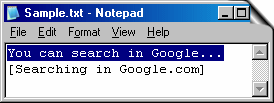
You can search any text at Google. Just select a phrase and click Control + G. LangOver will open a new browser with your search result at google.
|
|
|
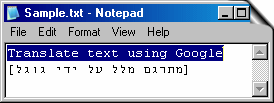
Translate (Control+T)
You can translate your text from any language to any language with Google software translator. Just select a phrase and click Control + T. LangOver will open a new browser with your translated text.
|
|
LangOver 5.0 is a freeware - the program is licensed free of charge!
LangOver is available also as an Online service, with SDK for developers. Download translation software here.
|







)
)
)
)